
Granting Access to WordPress
When you partner with Lokal, one of the first steps is giving our team access to your WordPress site. This quick guide walks you through creating an Administrator account for us:
- Log in to your WordPress dashboard at
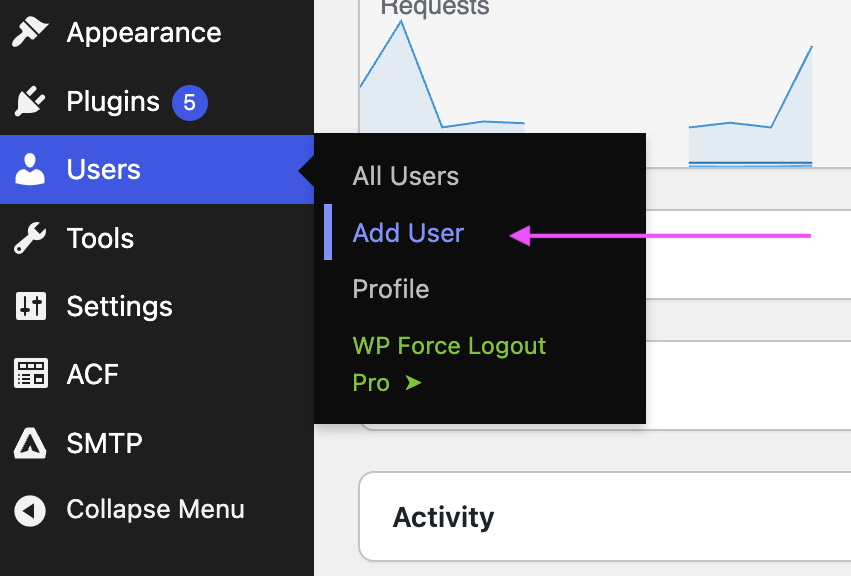
yoursite.com/wp-adminor custom login page - Go to Users → Add New in the left sidebar (see screenshot)
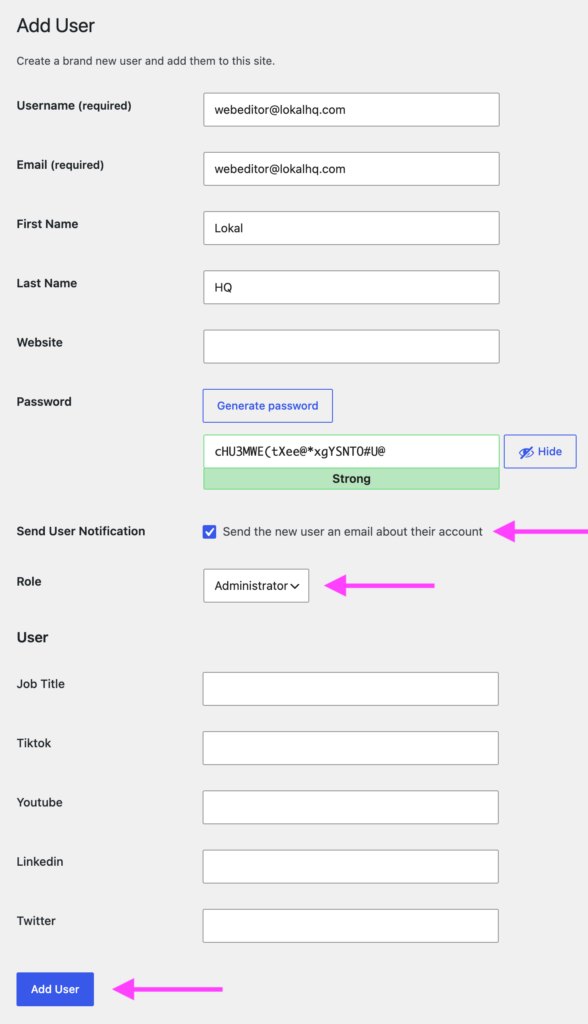
- Fill in the required fields: username and email address (both can be
webeditor@lokalhq.com(see screenshot) - You can use Lokal and HQ for First and Last Name
- Check “Send User Notification” so they receive a login email
- In the Role dropdown, select Administrator
(NOTE: if you are not an Administrator, you will not be able to add us as an Administrator. Let us know and we can find a workaround.) - Click Add New User