
Granting Access to a Squarespace Website
This quick guide walks you through creating an Administrator account for us:
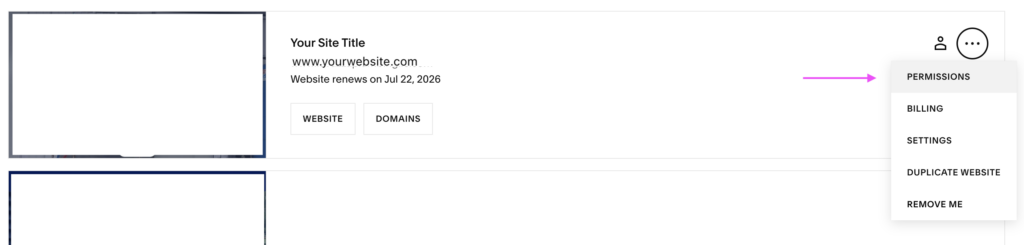
- Log in to your Squarespace account, go to Dashboard.
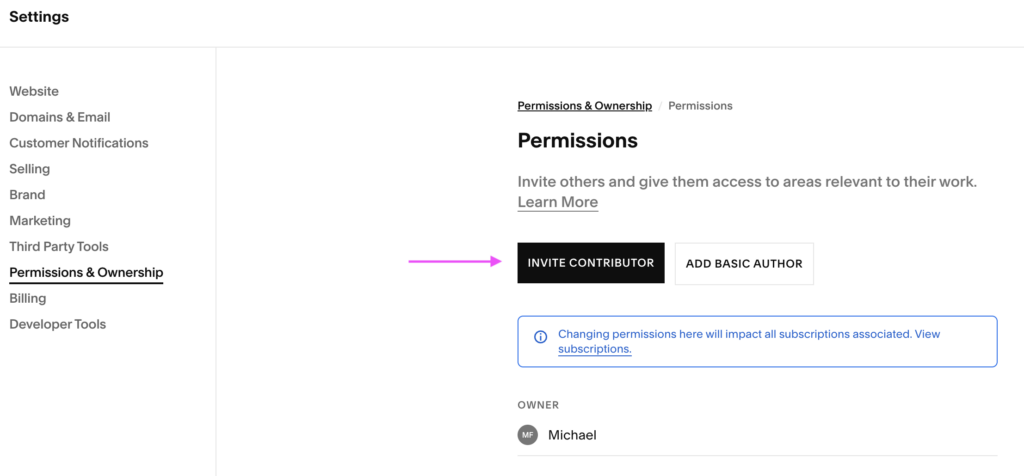
- Click the 3 dots and select Permissions (see screenshot), which takes you to Permissions & Ownership
- Click Invite Contributor
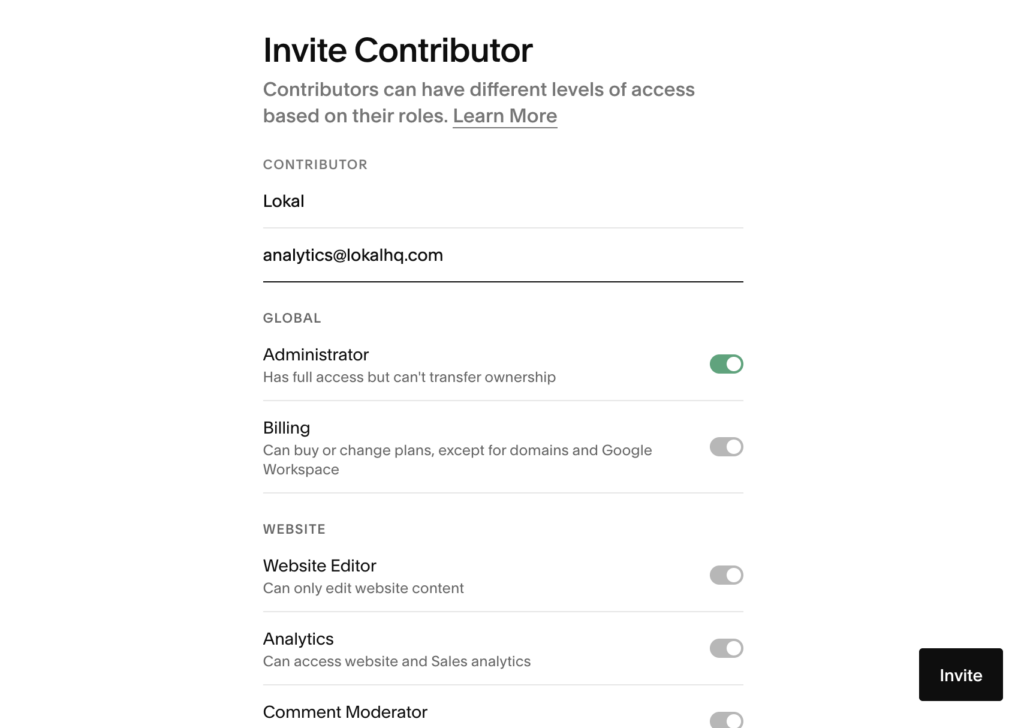
- Enter our name
Lokaland email addressanalytics@lokalhq.com(see screenshot) - Toggle on Administrator permissions (see screenshot)
- Click Invite