
Granting access to GoDaddy for DNS
On Desktop/Laptop
(mobile instructions at the bottom)
Log into GoDaddy. Go to your domains (under My Account at the top). Click Settings (Gear Icon) to expand and then click “Delegate Access”.
On the next screen, under “People who can access my account”, you should see an “Invite to access” link. Click to get a prompt to add our Name and Email. Add info for our account as shown in screenshot below. Access level should be “Domains only” unless we are transferring other services such as Email or Hosting.
And then just let us know you did so we can accept invite.


On Mobile
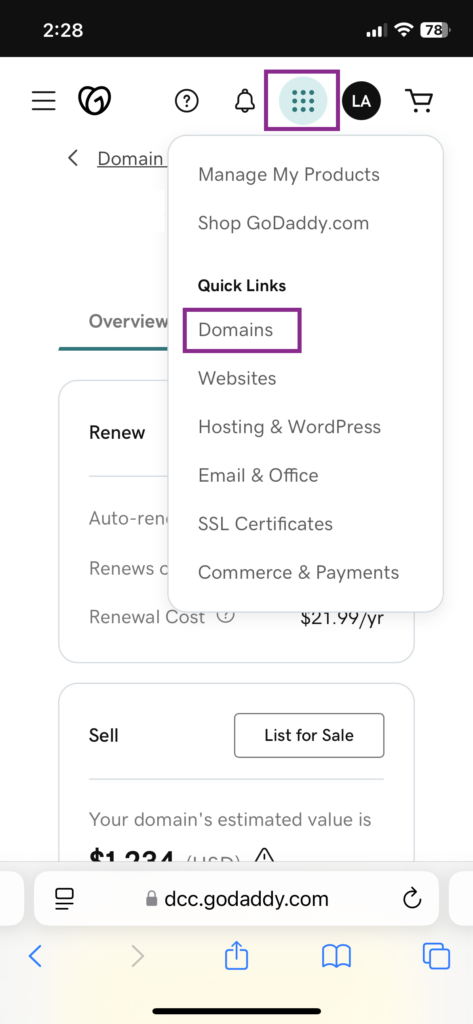
- Log in and click the 9 dots menu button and click Domains.
- Click the domain of your website.
- Click the GoDaddy logo in upper left (heart icon) to show menu.
- Click Settings to expand and then “Delegate Access”.
- Add our Name and Email as shown in screenshot.