

This dedicated email address allows Lokal to manage citations, directory listings, and other marketing tasks on your behalf without needing access to your personal or business inbox.
Please note that you’ll need admin access to your email platform to complete these steps — if you’re unsure whether you use Google Workspace or Microsoft 365, check with whoever manages your IT, or ask us: we can usually figure it out.
Google Workspace
- Go to admin.google.com
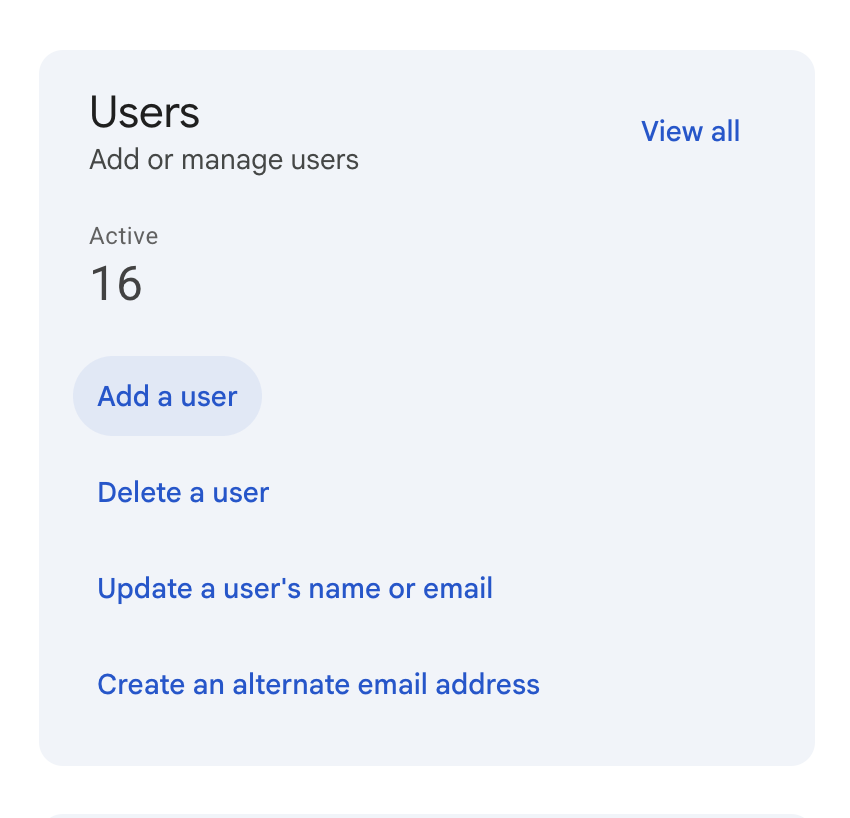
- Home > Users > Add New User (see screenshot below)
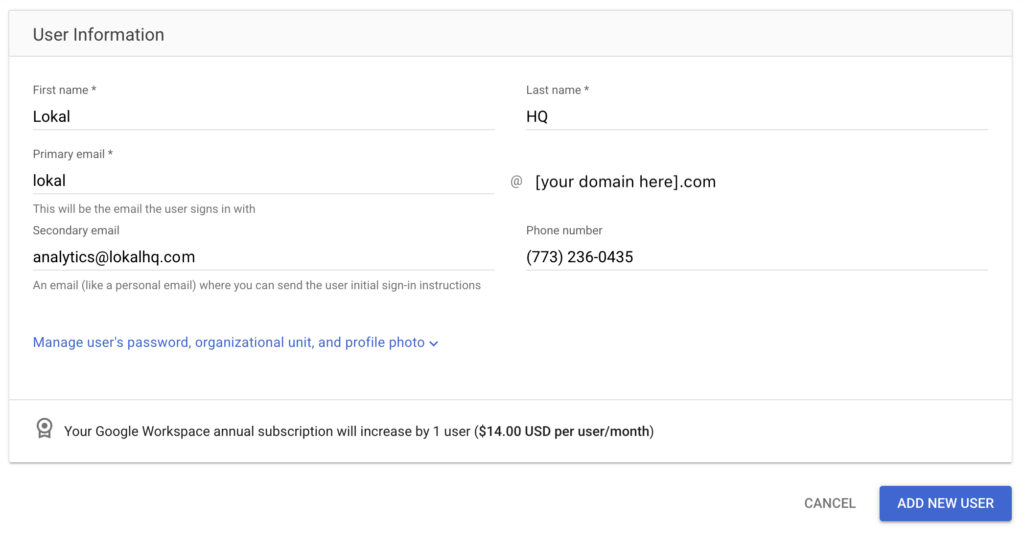
- Set First Name to
Lokaland Last Name toHQ(see screenshot below) - Primary Email to
lokal→@[your_domain_here].com
ex. lokal@jimmyjohnsplumbing.com - Secondary email should be
analytics@lokalhq.com - Phone Number: (773) 236-0435
- Add New User
Microsoft 365
- Go to admin.microsoft.com
- Users > Active Users > Add a User
- Set username as
lokal, select correct domain from the dropdown - Assign a license, set a password → Send password in email