


What do you do when comparing two marketing agencies to decide which to hire?
Most likely, you’d read reviews from past and current customers to get a sense of their experience—and what yours might be like if you hired them.
Homeowners follow the same process when searching for HVAC contractors.
They rely on customer reviews on platforms like Google, Yelp, and Facebook to guide their decision. In fact, nine out of ten consumers read and use these testimonials to choose a company to hire.
That’s why collecting and showcasing customer reviews across your marketing channels is crucial to build trust with prospects and boost your ranking in local search results.
This guide breaks down proven strategies to help you gather more HVAC customer reviews, including when and how to ask for feedback. But first, let’s go over why customer reviews are so important and how they directly impact your local search rankings and online reputation.
Table of Contents
Why customer reviews matter for your HVAC business
The #1 goal of customer reviews is to establish an immediate emotional connection with homeowners.
While most people won’t connect with the technical details of an HVAC installation, they’ll definitely relate to Anna’s relief when her air conditioner was fixed just in time for a heatwave. Or John’s peace of mind knowing his furnace was ready before winter hits.
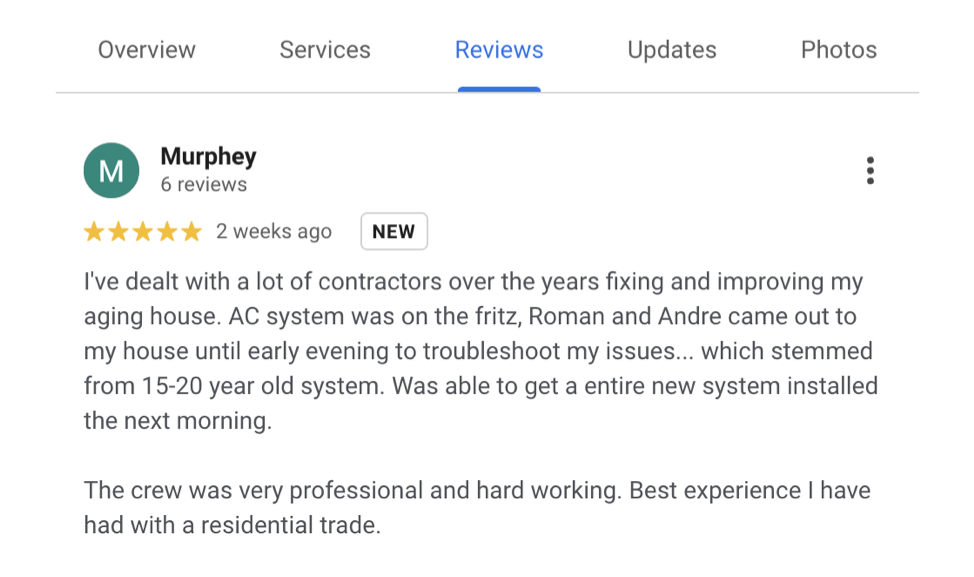
Homeowners aren’t just looking for technical expertise—they’re seeking a solution that gives them peace of mind, comfort, and security in their homes.
When prospects read reviews that highlight these experiences, they can imagine themselves in the same situation, making them more likely to trust your business.In fact, research shows that people trust online reviews as much as personal recommendations and are far more likely to take action when they feel a personal connection to the stories they hear.
This is why sharing real-life customer experiences, through testimonials, is one of the most powerful tools you can use to attract new clients.
Plus, search engines like Google factor in the quantity, quality, and recency of reviews when determining where to rank your business in local search results.
These reviews improve your rankings on Google, making it easier for locals to find your business.
For example, look at the top results for the keyword “HVAC repair”—they usually have two things in common: an above 4-star rating and a high volume of customer reviews.
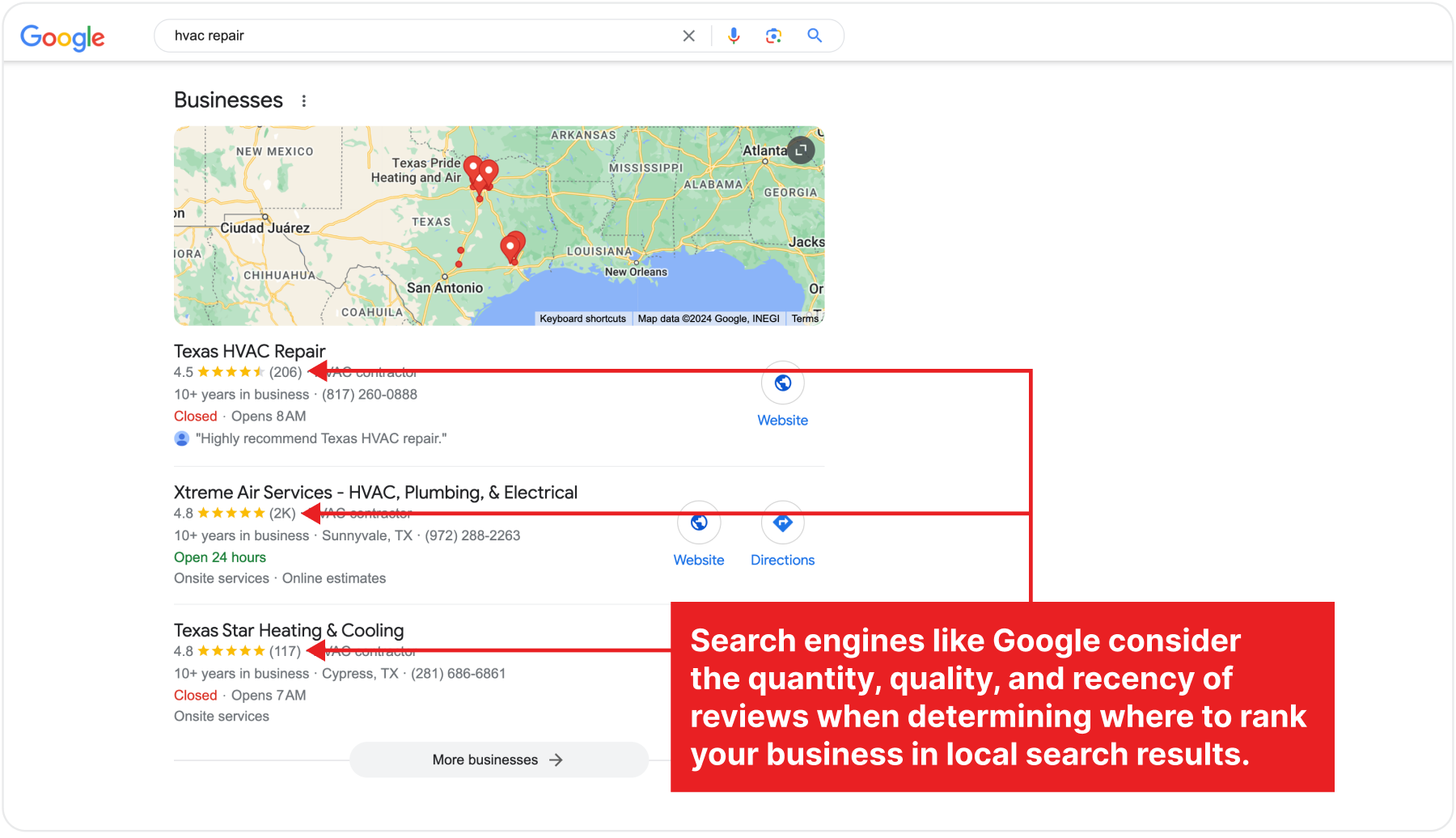
These reviews show that the business is real, reliable, and trusted by many customers.
The more positive experiences you can showcase, the more likely new customers will trust and choose your business over others.
Plus, online directories like Yelp and Google Business rank local businesses according to their ratings and reviews, further enhancing your visibility in the local market.
6 ways to get more HVAC customer reviews for your business
1. Ask for reviews in-person right after every service
The best time to ask for a customer review is right after the service is completed.
This way, their memories are still fresh—they’re more likely to remember specific details and be willing to share their experience, whether positive or negative.
How to ask for customer reviews in-person
1. Make asking for reviews a part of your technician’s checklist.
Incorporating review requests into your technician’s checklist ensures asking for feedback becomes a standard part of every job, rather than something that gets overlooked.
This simple step guarantees that the request for reviews is made after every service, making it a habitual action rather than an optional one. It also helps maintain consistency across your team.
2. Train your team beforehand
The success of this method relies on the rapport between your technician and the customer. So, train your team to express genuine gratitude and emphasize how reviews help the business improve.
If your technician has built a good rapport with the customer, they can make a simple, polite request like:
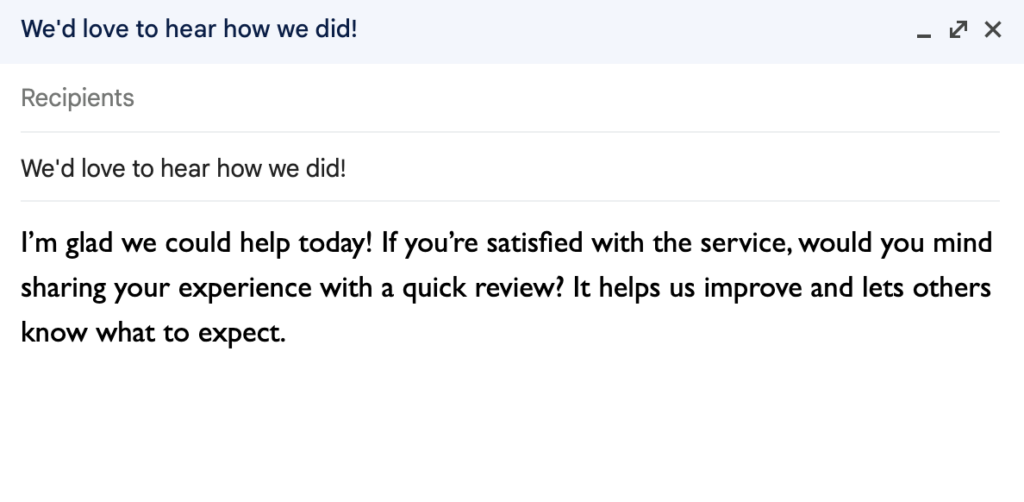
The key is to reference the specific service you provided and briefly share why their feedback matters.
3. Use a QR code on a printed material that links to your review page
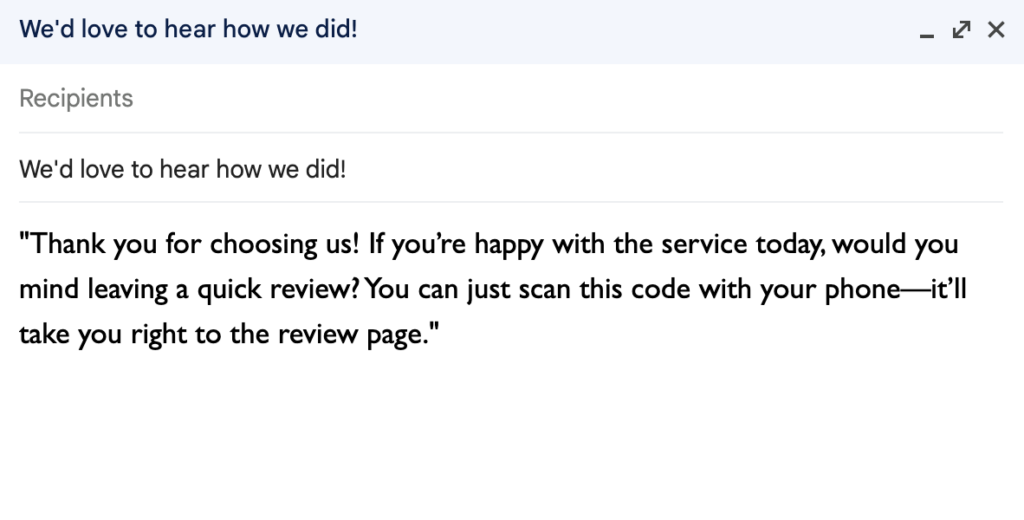
To make the in-person ask more effective and not just a verbal request, hand the customer a card, flyer, or receipt with a QR code that links directly to your review platform (Google Business, Yelp, or Facebook). This makes it super easy for them to scan the code and leave a review on the spot or later.
Here’s an example of what your technician could say,
4. If possible, ensure your technician has a device customers can use to leave reviews
If your service personnel carry a tablet or smartphone, they can offer it to the customer to leave a review right away, in case they don’t have their device with them.
5. Follow up with an email or text
In-person request for reviews are great, however, if the customer doesn’t leave a review on the spot, chances are they’ll forget to do so later.
That’s why you should send a follow-up email or text shortly after the in-person ask. This gives the customer another opportunity to leave a review while the service is still fresh in their mind.
The email should thank the customer and include a link to your preferred review platform, like Google My Business or Yelp. Make sure it’s easy for them to access and complete.
Here’s a sample email script you could use:
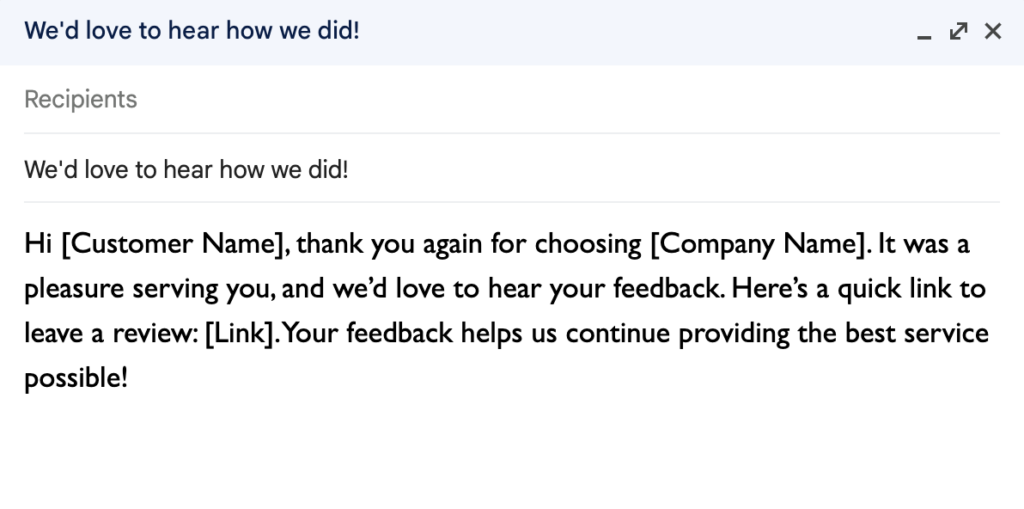
For customers who prefer to leave their review later, create a small card with step-by-step instructions on how to leave a review when you have a minute, along with a QR code or link.
Handing this to the customer gives them something tangible to remind them later.
2. Automate review requests and follow-ups
Typing out emails from scratch every time you request a customer review is time-consuming and repetitive. Fortunately, there are tools that can send initial review requests and follow up on your behalf.
Using these tools, you can
- Personalize messages, including the customer’s name, the service performed, and a direct link to your preferred review platform (Google, Yelp, or Facebook).
- Monitor which customers have received the request, opened it, and completed the review, so you can follow up more effectively or adjust your strategy if needed.
How to automate review requests and follow-ups
1. Choose and set up your preferred platform
There are several software options available that can automate review requests and follow-ups, such as:
- Podium
- Birdeye
- ReviewTrackers
These platforms are designed to help you manage customer feedback and automate the review process, allowing you to focus on other aspects of your business. Birdeye, for example, lets you collect and manage reviews across multiple platforms (Google, Yelp, Facebook, etc.).
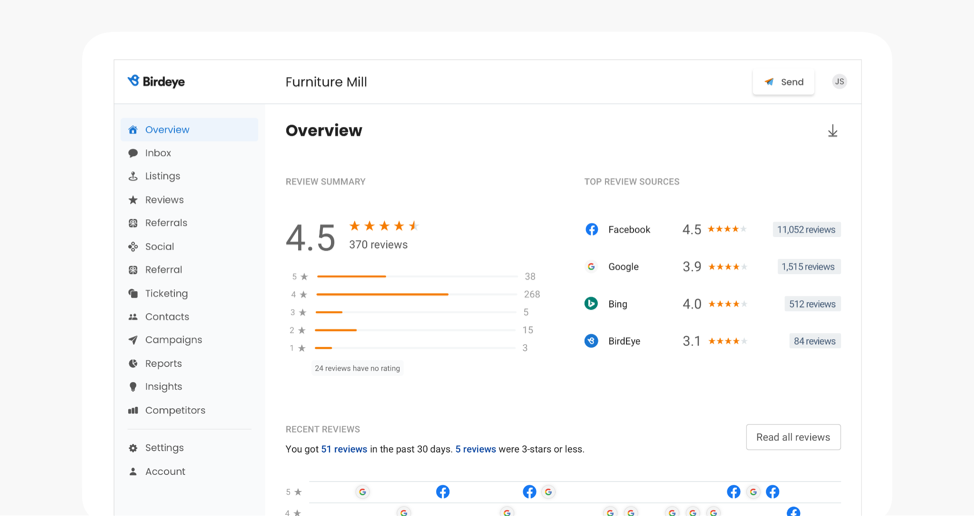
Birdeye allows you to send review requests via email or text directly from your dashboard.
You can use the ‘Quick Send’ button, located at the top right of your Birdeye dashboard and next to each customer under the ‘Contacts’ tab.
2. Integrate with your CRM
To fully automate the process, integrate your review request software with your existing CRM or service management tool.
This ensures that every job completed triggers a review request without any manual input.
Review platforms like Birdeye offer integrations with tools like Salesforce or service management systems specific to your industry like FieldEdge, Jobber, and ServiceTitan.
Birdeye also lets you define the conditions under which a review request will be sent, such as after service completion, customer check-in, or bulk contact uploads.
Once set up, the system sends requests automatically based on your rules.
For example, when an HVAC service job is closed in your system, it triggers an email or SMS asking the customer for a review.
3. Schedule your email
Customize your review request message to reflect your brand’s tone and voice. Then personalize the message with the customer’s name, service details, and a clear call to action. Here’s a sample review request email:
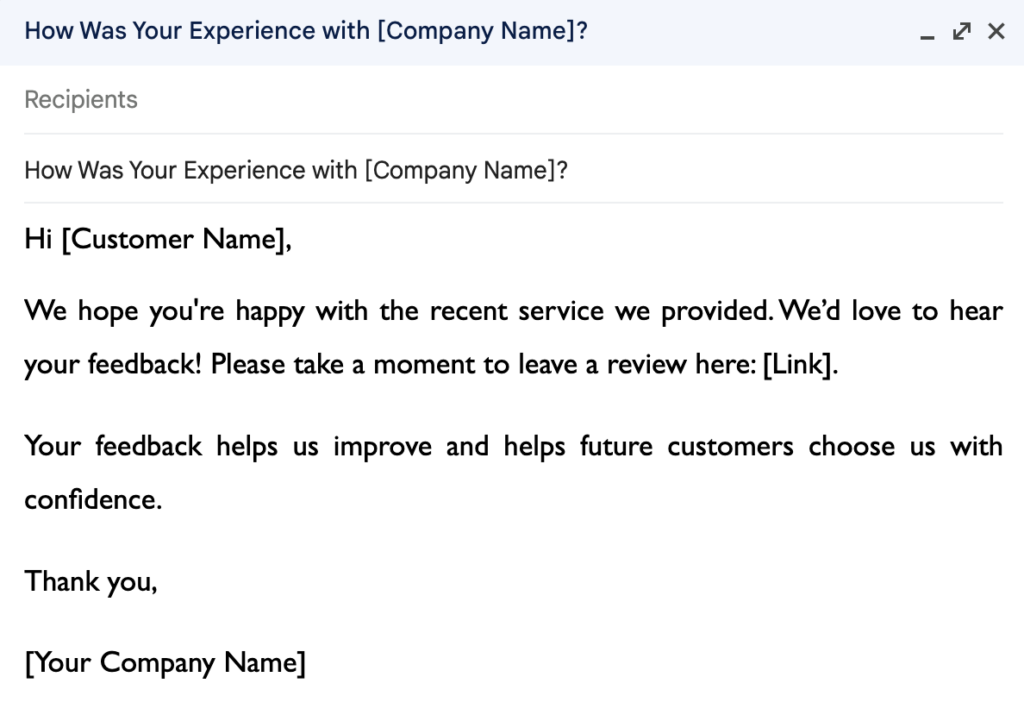
Timing is everything, so automate review requests to go out as soon as possible after the service, ideally within a few hours.
This increases the likelihood of the customer responding while the experience is still fresh in their mind.
4. Schedule follow-up reminders
If a customer doesn’t respond to your initial request, a polite reminder can encourage them to leave a review. You can schedule one or more follow-ups at intervals, such as:
- First reminder after 3 days
- Second reminder after 7 days
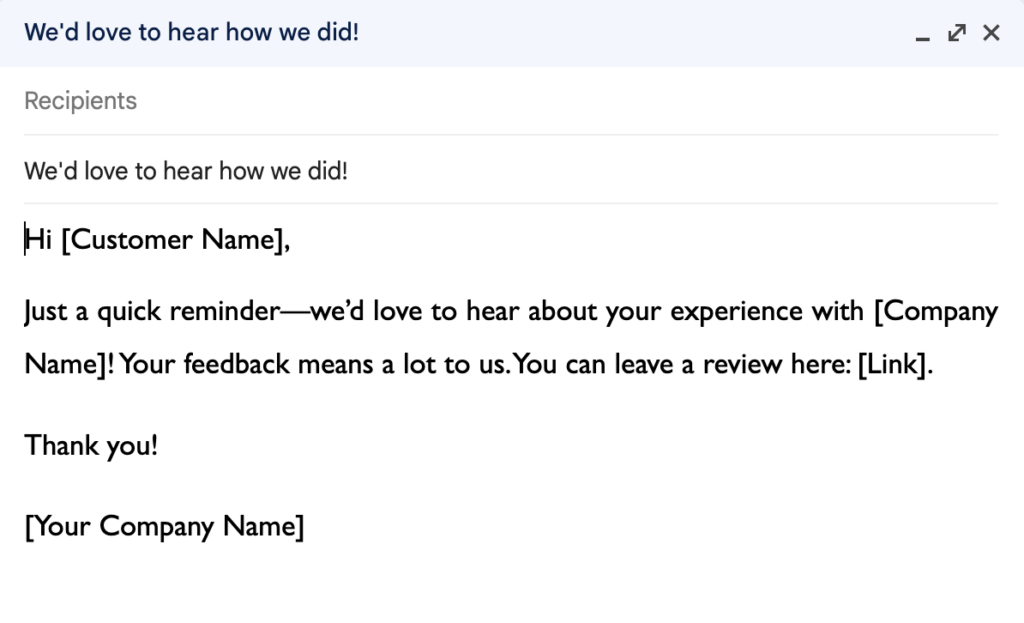
You can also automate responses to reviews.
While this can be useful for quick acknowledgments, be sure to personalize responses to negative reviews to show you’re genuinely addressing concerns. For example,
Pro tip: monitor responses and analyze feedback
Your automation tool should provide insights into:
- How many review requests were sent
- Open rates (for emails)
- Click rates
- Number of reviews received
Regularly monitor these metrics to see how effective your review requests and follow-ups are. You can tweak your approach or frequency based on the data.
3. Offer small incentives to encourage more reviews (but follow guidelines)
Offering incentives like discounts, coupons, or entry into a raffle can be a great way to encourage more customers to leave reviews.
However, ensure that any incentives you offer comply with the guidelines of the platform where you’re asking for reviews.
For example, Google discourages incentivizing reviews, while other platforms may have similar restrictions. It’s important to check the specific rules for each platform before proceeding.
How to offer incentives safely
Instead of offering rewards for positive reviews, offer general incentives for any review, regardless of whether it’s positive or negative.
This approach ensures that customers feel free to provide honest feedback and that you’re complying with review platform rules.
For example, offer a small discount on their next service simply for leaving a review, regardless of the review’s sentiment.
Here’s a sample script to inspire yours, “Leave us a review, and get 10% off your next service! We appreciate all feedback and use it to improve our services.”
Also, consider entering every customer who leaves a review into a monthly or quarterly raffle for a prize, without requiring the review to be positive.
Here’s a sample script to add to your email, “Leave a review and be entered into our monthly raffle to win a free service or gift card!”
Again, while offering incentives,
- Make sure the reward applies to all reviews, whether they’re positive or negative.
- Clearly state that you’re offering a reward for leaving a review, but emphasize that you welcome both positive and negative feedback.
- Always review the guidelines for each platform (Google, Yelp, Facebook) to ensure your incentives are compliant.
4. Thank customers for positive reviews and address negative ones promptly
Responding to positive reviews reinforces customer loyalty and shows appreciation.
On the other hand, addressing negative reviews promptly can help you resolve issues, rebuild trust, and show prospective customers that you’re responsive to concerns.
But ignoring negative feedback can damage your reputation, and you want to turn dissatisfied customers into loyal ones.
How to thank customers for positive reviews and respond to negative ones
When responding to positive reviews, express genuine gratitude and highlight specific points they mentioned. Personalizing your response makes it more meaningful and shows that you’re paying attention.
For example, this response from Quick Fix Air Repair shows how to approach addressing positive reviews:
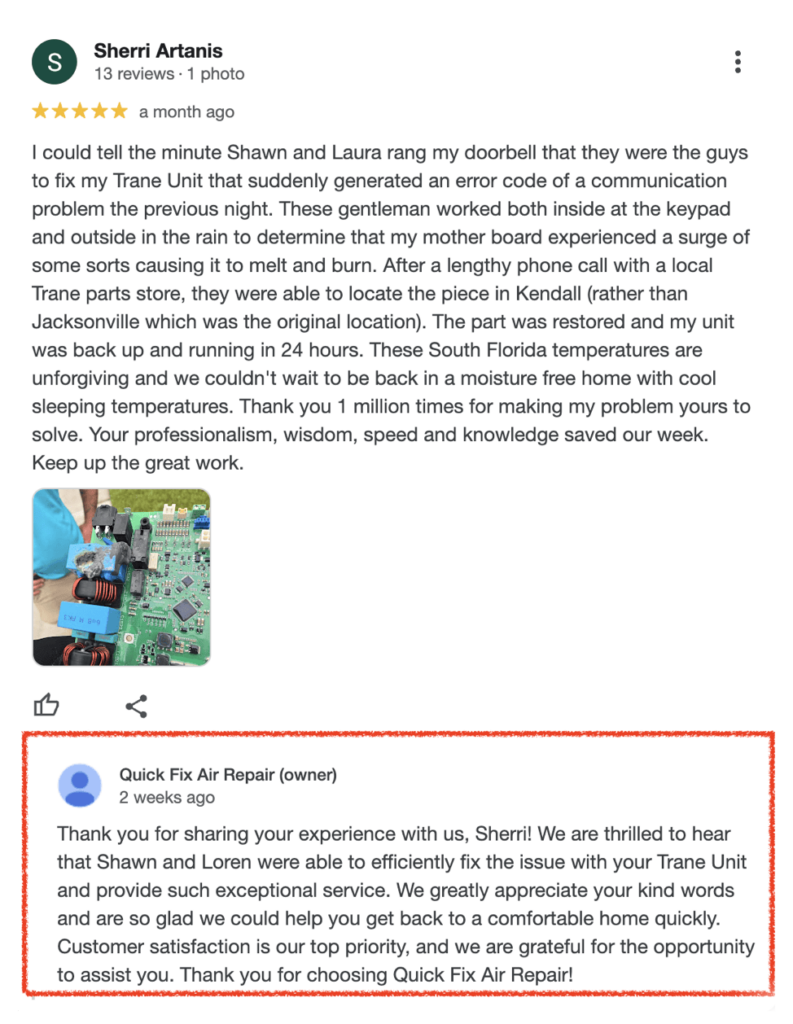
First, the response begins with a heartfelt thank you: “Thank you for sharing your experience with us, Sherri!” This shows appreciation and acknowledges the effort the customer took to leave detailed feedback.
The business specifically mentions the technicians by name: “Shawn and Loren were able to efficiently fix the issue…” This personal touch shows that the business is paying close attention to the details of the review and reinforces the connection with the customer.
Also, the response highlights key elements of the customer’s experience, such as the quick resolution of the issue: “provide such exceptional service” and “help you get back to a comfortable home quickly.” By mentioning these specifics, the response feels more thoughtful and tailored to the individual review rather than generic.
And the reply reiterates that “Customer satisfaction is our top priority,” while thanking the customer again for choosing Quick Fix Air Repair.
This approach helps you connect more with the customer and potentially attracting to return repeatedly.
For negative reviews, approach the situation with empathy and a solution-oriented mindset.
Acknowledge the issue, apologize for any inconvenience, and offer to resolve the situation. Also, respond promptly, as it shows that you take concerns seriously.
For example, a customer left a mixed-reaction feedback for a HVAC company that signaled their dissatisfaction with a service received from one of the brand’s technicians.
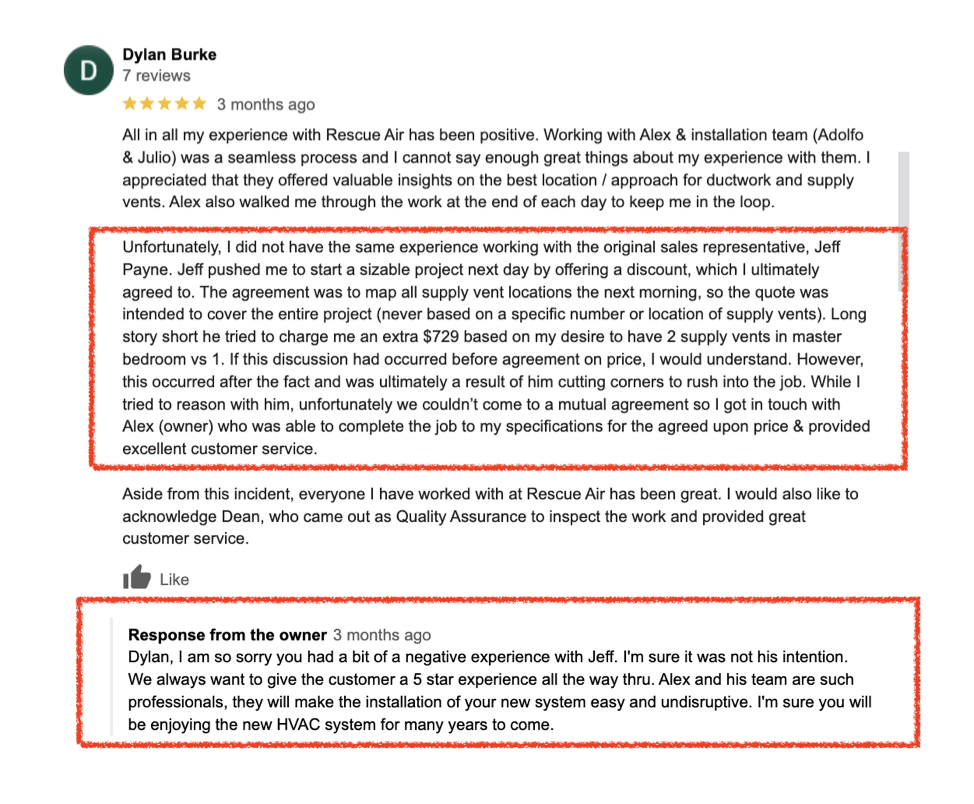
The owner starts by thanking Dylan for his overall positive experience and appreciation for Alex and his team. This shows the business is paying attention and values the customer’s good feedback.
Then they apologize for the negative interaction with Jeff, signaling that they take customer concerns seriously, which is crucial in resolving dissatisfaction.
The response is also polite, respectful, and avoids getting defensive, which is key especially when responding to negative reviews.
This approach can help turn a potentially negative situation into a more positive one, preserving your business’s reputation and building trust with both the reviewer and potential future customers.
5. Post reviews to highlight positive experiences and inspire others to share
Positive reviews are like personal recommendations, which hold a lot of weight with potential customers.
Regularly posting and highlighting positive reviews shows real people value your service, which can help attract more customers and inspire others to share their feedback. It creates a cycle of engagement—happy customers leave reviews, and those reviews inspire new customers to do the same. Plus, reviews are a great social media post idea to keep your audience engaged. For example, Fox Family shares customer feedback to demonstrate their track record of satisfying clients.

How to post reviews effectively
When sharing reviews, focus on those that highlight specific aspects of your service, like timeliness, professionalism, or the quality of the job. This helps potential customers see the tangible benefits of working with your business.
Make sure to get permission from the reviewer before posting their feedback publicly if it wasn’t shared on a public platform.
Here’s an example of a script you could add to your review screenshot:
“We love hearing from our customers! Here’s what [Customer Name] had to say about their recent HVAC service: ‘[Insert review quote].’ Thank you, [Customer Name], for your kind words! If you’ve had a positive experience with us, let us know—your feedback means the world to us!”
Pro Tip: Consider creating a dedicated section on your website or landing page for customer testimonials to highlight your positive reviews, so potential customers can easily find them. Also, pair the testimonials with photos or before-and-after shots if applicable to make the experience more relatable and visually impactful.
6. Offer review opportunities at multiple touch points
Not every customer will be ready to leave a review at the end of a service. Some customers may be more willing to leave a review after a follow-up, while others might do so right after service.
Instead of waiting until the end of a transaction, you can offer review opportunities at different touchpoints, such as after service completion, when following up on a job, or through regular email communications.
This makes it easier and more convenient for customers to share their thoughts, no matter where they are in the process.
How to encourage reviews at various touch points
Include reminders in places like:

Pro Tip: Ensure the review process is seamless across all touchpoints by providing easy-to-follow instructions and direct links to your preferred review platform(s).
Build a solid online reputation to grow your HVAC business
The most important point to remember is to make collecting customer reviews a consistent part of your business process—whether through manual requests, automated follow-ups, or offering review opportunities at multiple touchpoints.
These reviews boost your visibility and also build trust with potential customers, increasing your chances of landing more clients.
Want to streamline your review collection and reputation management process?
It’s what we do! We help HVAC companies boost their local visibility, build trust with customers, and book more jobs.
FAQs about HVAC customer reviews
Why are reviews important for my HVAC business?
Reviews are crucial for building trust with potential customers in a service-driven industry like HVAC. They act as social proof, showing future clients that others have had great experiences with your services. They also help your business rank higher on platforms like Google, increasing your visibility. Plus, reviews provide valuable feedback, allowing you to improve your services and customer satisfaction over time.
How do I ask my customers for reviews without being too pushy?
To avoid coming across as pushy, ask for reviews in a polite, low-pressure manner. Timing is key—make the request after the service is completed, and the customer has expressed satisfaction. You can phrase it like: “We hope you were happy with our service today! If you have a minute, we’d appreciate it if you could leave us a review. It helps us improve and lets others know what to expect.” Offering a simple way to leave a review, like providing a link or QR code, also makes the process more convenient.
What are the best platforms for my customers to leave reviews?
For an HVAC business, the top platforms to encourage customer reviews are Google Business, Yelp, Angie, and Facebook. Encourage customers to leave reviews where it makes the most sense based on where your business has the strongest presence or where you want to grow your visibility.
How often should I ask for reviews?
You should ask for reviews after every completed job to build a consistent flow of feedback. By making it part of your process after an invoice or follow-up, you create regular opportunities to gather reviews without overwhelming customers. However, avoid bombarding repeat customers with multiple requests over a short period—space out your review requests, especially for clients who use your services frequently.
Can I offer incentives to customers for leaving a review?
Offer incentives with caution. Some review platforms, like Google, discourage offering incentives specifically for positive reviews. Instead, you can offer general incentives—such as a discount on future services or entry into a raffle—for leaving any review, whether positive or negative. This keeps the process transparent and ensures you comply platform guidelines while still encouraging feedback.